This was my first time using FoloCam. Since the season is coming to a close, I’m trying to get as much testing in as possible while games are still available. For context, this feedback is from a 9v9 game, roughly half-field, recorded with:
- iPhone 17 Pro
- Soccer Pro
- 1.5x / half-field setting
- 10 ft tripod height
- Auto tilt enabled*
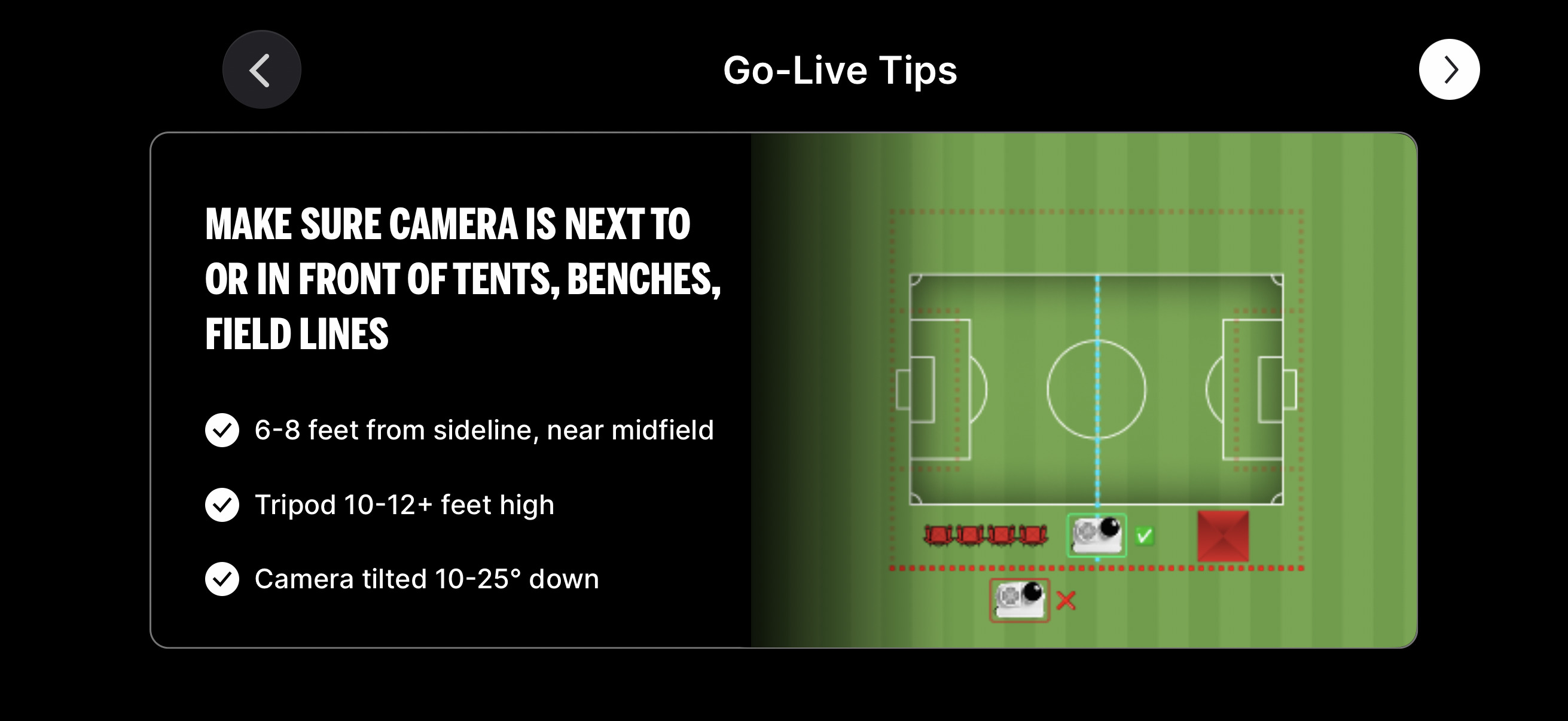
- Camera positioned about 5 feet back from the sideline due to limited space*
* When reviewing the FoloCam instructions while writing this feedback, I saw the guidance that auto tilt should be disabled when recording close to the sideline. I had not noticed that before recording, so some issues may be related to that.
I’ve also recorded games with Veo and BallerCam, and I’m familiar with XbotGo Chameleon through acquaintances who use it for their teams. I have not used XbotGo Falcon.
Overall Comparison
These comments are focused on the resulting video and recording experience, not the full feature set of each product.
-
Veo Cam 3
Veo has the best overall tracking. Its wide field of view helps keep play in frame, but the tradeoff is lower effective detail of players. The image also appears over-processed, with noticeable smoothing and sharpening. I have not used Veo Go, so this applies only to this Veo model.
-
XbotGo Chameleon
The Chameleon can produce excellent video quality because you can use it with the native phone camera, but the tracking experience is frustrating and unreliable. In practice, you often have to hope it follows the play correctly or be ready to manually override it.
-
BallerCam
BallerCam has decent, not perfect, tracking and its panning is excellent. Acceleration feels natural, and it generally predicts where the play is moving and frames the action well. The major downside is video quality. Because it uses a single fisheye lens attachment for the iPhone, then de-fishes and dynamically zooms the image, the resulting real resolution is often below 1080p.
-
FoloCam
FoloCam’s video quality (currently 4k30) is excellent, nearly as good as XbotGo Chameleon, while providing a much better tracking and panning experience. I assume FoloCam cannot expose all native iPhone video options because the tracking model needs to process data in real time, which likely limits the capture modes that can be supported.
Tracking is much better than XbotGo Chameleon. FoloCam did lose the ball periodically, but it generally reacquired it within a reasonable amount of time, which has not been my experience with XbotGo. FoloCam is not quite as strong as Veo, though Veo’s much wider field of view (probably) makes tracking much more forgiving. Compared with BallerCam, FoloCam feels broadly similar. They both lose the ball periodically, but in different situations, and reacquire it within a reasonable amount of time.
Setup and Recording Issues
-
Pan range / field alignment
I thought I had the gimbal centered on the field, with the gimbal controls facing directly away from the sideline. However, during recording, the camera would not pan far enough to the right side of the field from the camera’s perspective. As a result, it could not fully capture the sideline and corner kicks on that side.
It would be helpful to know how to prevent this in the future. One possible improvement would be increasing the locked pan range from 180 degrees to something like 225 degrees, giving users more setup tolerance if the gimbal is not perfectly centered. Some other ideas on this in product feedback below.
-
Auto tilt / close sideline setup
Because I was set up close to the sideline near midfield, auto tilt should likely have been disabled. With auto tilt enabled, the camera could not see the area below the camera near the center line, and there might not have been enough tilt range regardless. The guidance exists in the instructions, but I did not see it before recording. It would be helpful if the app made this more obvious during setup.
Can the gimbal be mounted on a tilt head or another adjustable mount to provide more downward tilt range, with the center of the field-of-view at the center of the pitch? This would help optimize both fixed-tilt and auto-tilt modes when space constraints force the camera close to the field.
Product Feedback
-
Setup checklist
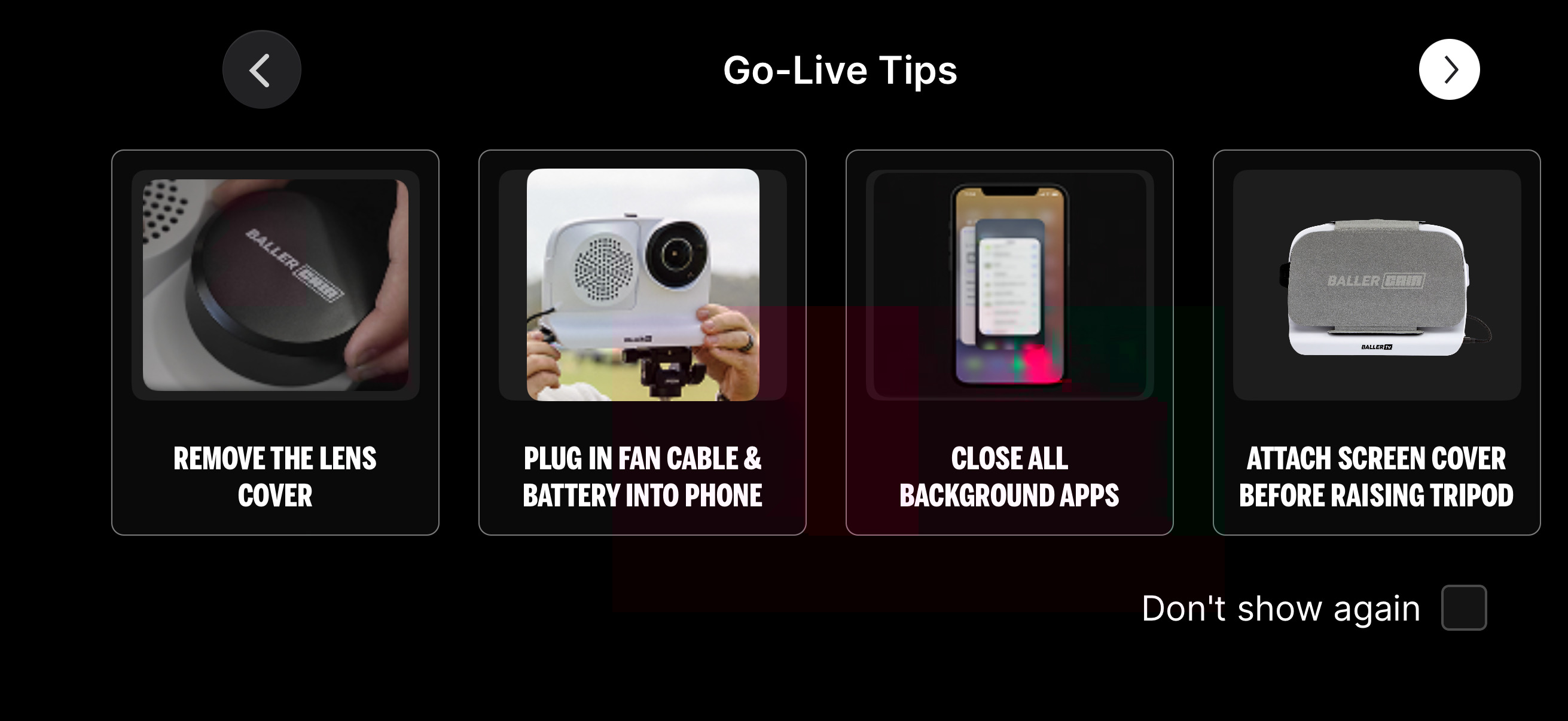
It would be helpful to have a reference checklist before recording, either opened manually from a button or shown automatically before recording starts. Useful checklist items could include:
- Confirm the gimbal is centered to the field.
- Confirm the camera can pan far enough to cover both corners and sidelines.
- Confirm whether auto tilt should be enabled or disabled based on camera distance from the sideline.
- Confirm the camera can see the near sideline and the area directly below or near the camera.
- Confirm the tripod is level and stable.
- Confirm the sport/field mode is correct.
- Confirm tracking/framing options are set as intended.
- Confirm storage space and battery level.
-
Pan/tilt coverage test
It would be useful to have a button during setup or recording that automatically pans and tilts the camera to its configured extremes. This would let the user verify that the camera is covering the expected area before relying on it for a full game.
For example, the test could briefly move the camera to the far left, far right, lowest tilt angle, highest tilt angle, and center/home position. This would help catch setup problems immediately, such as the camera not being centered correctly, insufficient pan range on one side, or tilt range that does not reach the near sideline.
-
Logo / watermark
The solid FoloCam logo is too distracting. It often covers action because FoloCam’s view is more zoomed in than (for example) a Veo so there’s more probability that action is covered by it. It is especially distracting on larger displays. Suggested changes:
- Make it semi-transparent, around 30% white.
- Move it even closer to the bottom-right corner.
-
Panning acceleration and stabilization
The panning acceleration feels too aggressive, especially when watching on a large screen. Direction changes can feel abrupt, and the camera accelerates too quickly, which can be disorienting during playback.
I was able to make the footage much more usable by post-processing it in Final Cut Pro using inertia stabilization. This suggests the underlying footage is strong, but the default panning motion would benefit from smoother acceleration/deceleration. It would be helpful if FoloCam had customizable panning acceleration and speed settings or less aggressive panning acceleration by default.
-
Predictive framing
Framing could be improved. Sometimes the ball is near the edge of the screen on the same side the play is moving toward, so the action quickly exits the frame along the short edge. Ideally, FoloCam would leave more space in the direction the play is moving. In many cases, the ball should be slightly offset toward the trailing side of the frame so the action has room to move across the screen rather than immediately leaving it. Alternatively it should center the ball if it dwells along the edge of the screen.
-
Automatic screen dimming during recording
Add an option to automatically dim the iPhone display after a short delay during recording to reduce battery use and heat. The app should restore brightness when the user taps the screen, then dim again after the delay, and return to the previous brightness when recording stops.
Summary
FoloCam’s video quality and usability is terrific, and even from my first test it’s the best compromise between video quality and tracking. The biggest opportunities I see are:
- Setup guidance, especially for close sideline placement, auto tilt, centering the gimbal, and choosing the correct recording mode.
- Setup verification, including a checklist, pan/tilt coverage test, and more pan/tilt tolerance.
- Panning and framing, including smoother acceleration and better predictive framing.
- Watermark placement, with a smaller, more transparent logo closer to the bottom-right corner.
I’ll share some videos highlighting some of these points a bit later. Kudos and my appreciation on what looks to be the start of a great product!